Why Protect WhatsApp?
WhatsApp has become one of the most important apps in everyday life.
Personal conversations, work, banking, authentication codes, and private information constantly pass through the app.
That is why adding an extra layer of protection is extremely important.
How to Lock WhatsApp on iPhone
On iPhone, WhatsApp uses Face ID or Touch ID to lock the app.
Follow these steps:
- • Open WhatsApp
- • Go to Settings
- • Tap Privacy
- • Open “Screen Lock”
- • Enable “Require Face ID” or Touch ID
You can also choose how long WhatsApp waits before locking again.
How to Lock WhatsApp on Android
On Android, the process is similar.
WhatsApp uses biometrics or fingerprint authentication depending on your device.
- • Open WhatsApp
- • Go to Settings
- • Tap Privacy
- • Scroll to “Fingerprint Lock”
- • Enable biometric protection
How to Enable Two-Step Verification
Besides locking the app, it is also important to enable two-step verification.
This creates an additional PIN to help prevent account hijacking and cloning attempts.
- • Open Settings
- • Tap Account
- • Open “Two-step verification”
- • Create a 6-digit PIN
- • Add a recovery email
Never share WhatsApp verification codes sent via SMS.
What Happens When WhatsApp Is Unprotected?
Many invasions happen after someone gets access to an unlocked phone for just a few seconds.
Without extra protection, criminals can:
- • Read private conversations
- • Access banking codes
- • Scam your contacts
- • Hijack accounts
- • Steal personal information
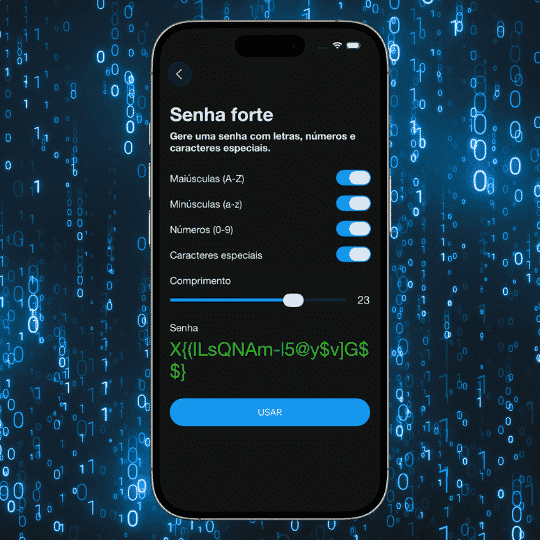
Use Strong Passwords
WhatsApp security also depends on your other accounts.
Weak email accounts or reused passwords make invasions easier.
The ideal solution is to use unique passwords stored in a secure password manager.
How iSenhas Can Help
iSenhas helps protect your important accounts by storing credentials securely and in an organized way.
The app offers:
- • Face ID and Touch ID
- • Automatic organization
- • Strong password generator
- • Autofill support
- • Breach monitoring
- • Compatible with iPhone, Android, and Web
iSenhas Highlights
- • Apple Entrepreneur Camp participant
- • Featured in the App Store “Apps We Love” list
- • Simple and modern interface
- • Compatible with iPhone, Android, and Web
Conclusion
Locking WhatsApp with a password is one of the simplest ways to improve your privacy.
In just a few minutes, you add an extra layer of protection against unauthorized access.
By combining biometrics, two-step verification, and strong passwords, your accounts become much more secure.