Password manager simple and secure.
Keep all your passwords in one place, create strong passwords and access your accounts quickly on your devices.
+300k downloads · 4.8 ★ · Free to get started
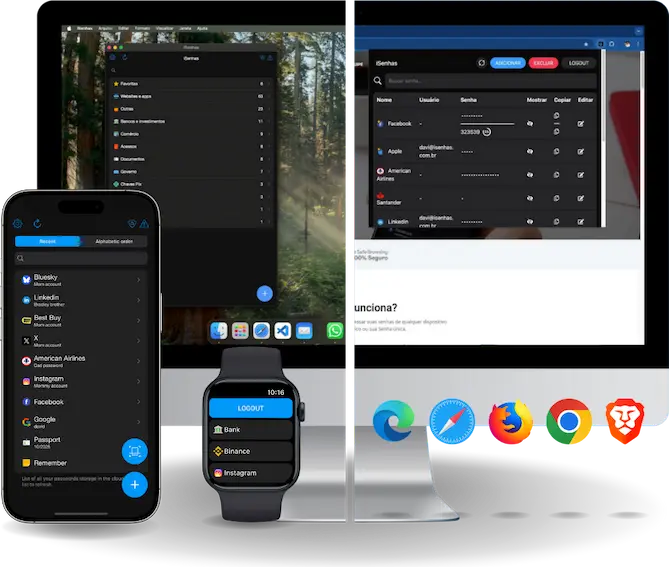
Keep all your passwords in one place, create strong passwords and access your accounts quickly on your devices.
+300k downloads · 4.8 ★ · Free to get started




“I was helped by Davi, he was very attentive. He solved my problem quickly.”

“Excellent online support. Every day of the week. I've been using it for a while and I recommend it.”
iSenhas brings together the essential features of a password manager to make your digital life simpler and safer.
Keep logins, passwords and other important information in a protected vault.
Generate random passwords with letters, numbers and special characters.
Access your accounts faster using autofill on supported devices.
Organize your passwords into folders and quickly find what you're looking for.
Check alerts and verify the security of your passwords.
Have your passwords available across different devices with cloud sync.
Your data is encrypted. Information stored in iSenhas is protected with AES-256 encryption before being sent to the cloud backup.
Extreme privacy. For those who want even more privacy, iSenhas offers a zero-knowledge architecture. In this mode, items are encrypted with AES-256 GCM using your Recovery Key before being sent to the cloud. Not even the iSenhas team can access the content of your vault.
Protection on your device too. Data stored locally is protected with AES-256 GCM encryption and PBKDF2 key derivation, keeping your information protected even when you are offline.
Security without sacrificing convenience. iSenhas offers recovery mechanisms and support to help you regain access to your account when necessary.
Transparency. Part of iSenhas's source code is public and available on GitHub, allowing the community to follow the project and review how it works.
VIEW CODE ON GITHUB COMO PROTEGEMOS SEUS DADOSIf you already use another password manager, you can also import your data.
Install iSenhas on your device.
Create your unlock password and set up your vault's protection.
Bring your passwords from other managers.
Generate strong passwords and let iSenhas take care of them.
An interface built to make managing your passwords easier.
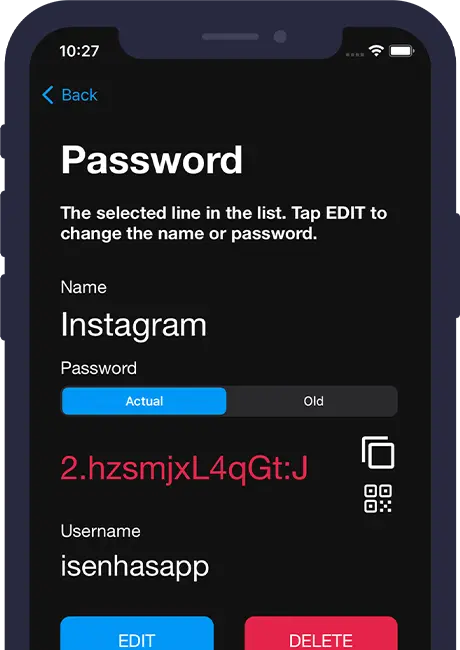
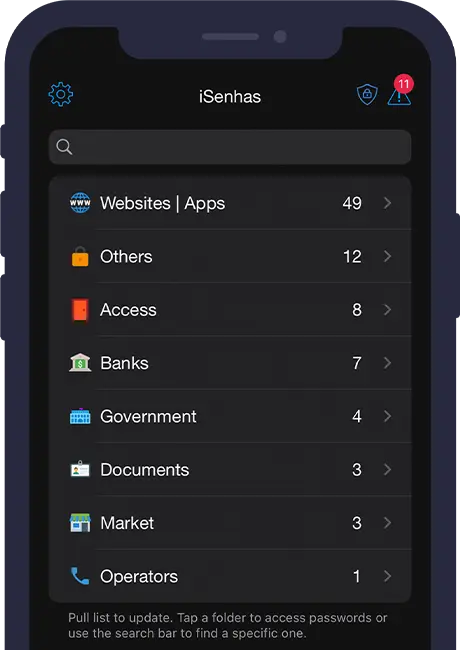
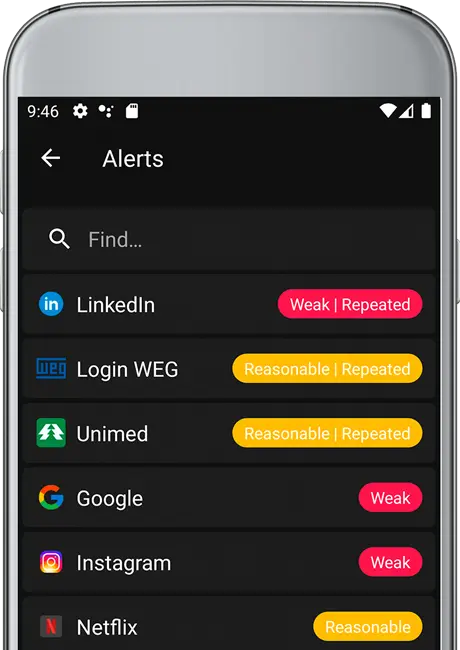
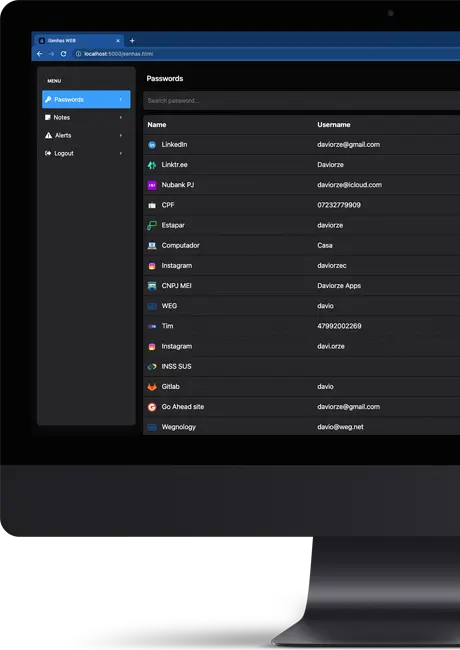
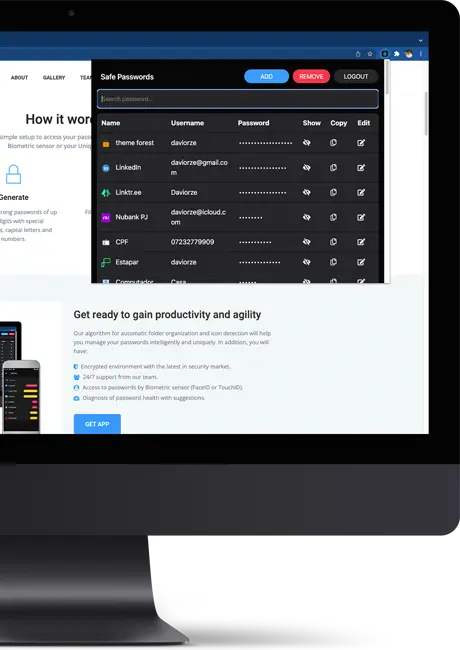
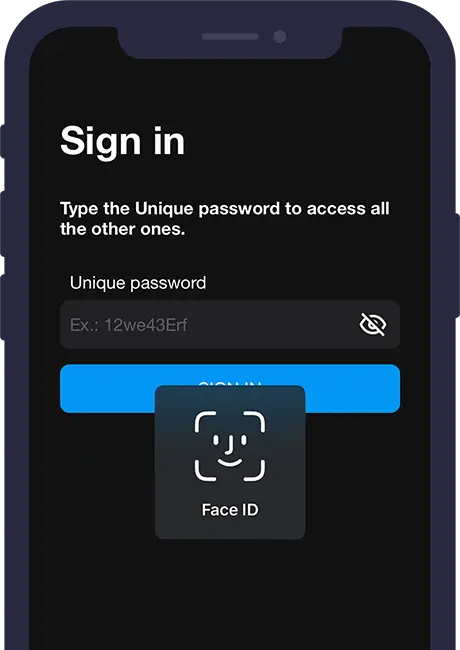
Use iSenhas on your phone, computer or browser. Always download from official stores.
Start for free and upgrade when you need more features.
Get answers to the most common questions about the iSenhas password manager.
It's an app built to securely store and organize passwords, allowing you to use different, strong passwords for your accounts.
Yes. iSenhas has a free plan with essential features and also offers a Premium plan.
Yes. iSenhas is available for iOS, macOS, Android and also offers browser extensions.
iSenhas uses AES-256 encryption to protect data stored in your vault.
Yes. You can import passwords from services like Google, LastPass, Dashlane, Bitwarden and SafeInCloud, as well as custom files.
Yes. The app offers checks to identify possible credential exposures and alert you to security risks.
Stay up to date with what we're working on,
new features and milestones.

iSenhas reached position 46 among the most downloaded apps on the Brazilian App Store, Productivity category.
Learn more
The iSenhas team confirmed their participation in the Dandara project
(1st LABIC Novale).

Want to know a bit more about the history of iSenhas? Watch this video about how our journey began.
WatchMissing something or found a problem? Write to us.
We'll get back to you as soon as possible.